
Download FurMark 2 – Graphics Stress Testing, GPU Benchmarking, PC Performance Tool
Overview
FurMark 2 is a specialized utility designed for advanced users and PC enthusiasts seeking to evaluate the performance and stability of their graphics processing units (GPUs). Built for modern 64-bit Windows systems, this application serves as a comprehensive tool for conducting rigorous stress tests, enabling users to assess how their GPU performs under extreme conditions. The primary purpose of FurMark 2 is to identify thermal throttling, power limitations, and long-term stability issues that may not surface during regular usage. It is particularly valuable for overclockers, hardware reviewers, and system builders who require precise data before making hardware decisions.
Target users include gamers, DIY PC builders, and IT professionals who need reliable benchmarks to validate system configurations. The app’s zero-installation design enhances accessibility, allowing immediate execution without altering system settings or requiring administrative privileges. Real-world use cases range from pre-purchase hardware validation to post-overclocking stability checks. By simulating high-intensity graphical workloads, FurMark 2 provides a controlled environment to test GPU endurance and cooling efficiency.
The developer, FurMark Team, has positioned this tool within the niche but critical category of system diagnostic utilities. While specific background details about the team were not provided, the app’s consistent updates and focus on compatibility with new hardware suggest a dedicated development effort. In the broader app ecosystem, FurMark 2 fills a vital gap for users who demand accuracy and minimal interference in performance testing.
Key Features & Functionality
- Zero Installation: FurMark 2 runs directly from the executable file, eliminating the need for setup or registry changes. This feature is ideal for temporary testing sessions or environments where software installation is restricted.
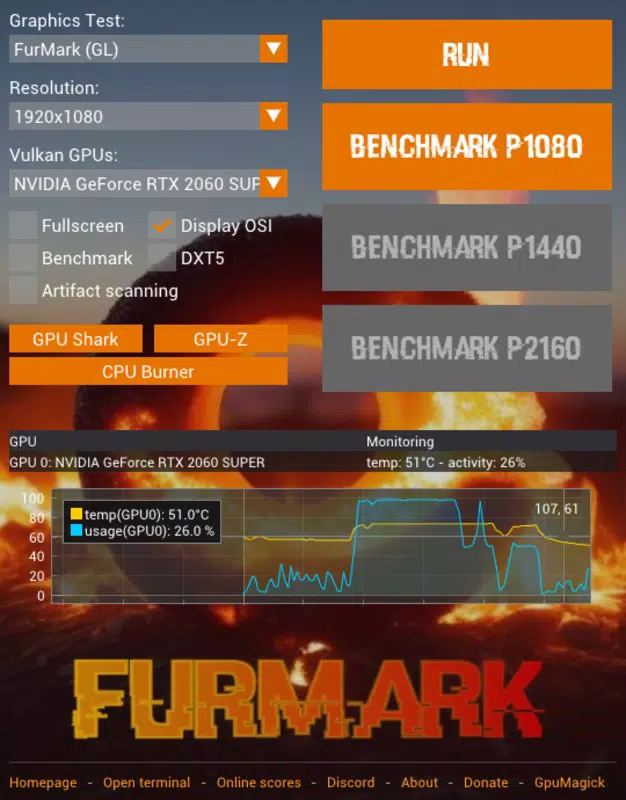
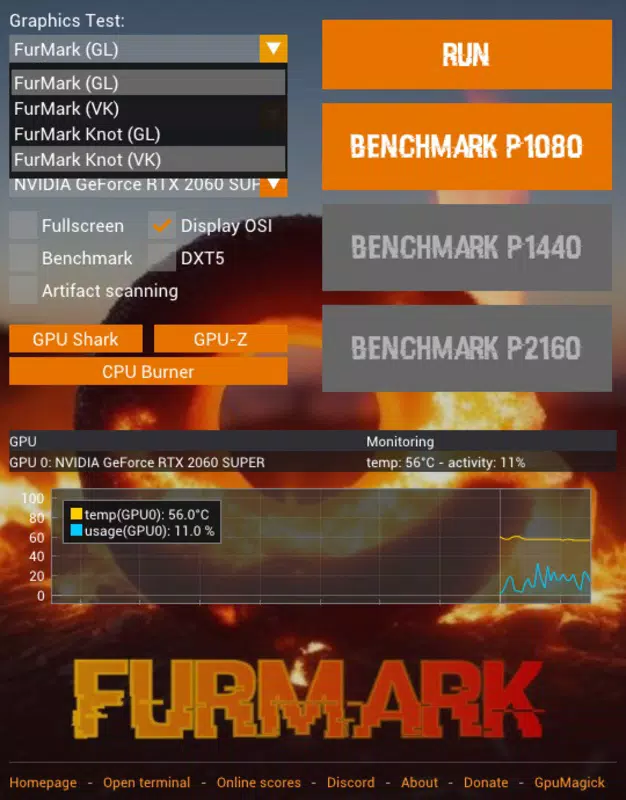
- Multiple Benchmark Tests: The software supports four distinct test modes—FurMark GL, FurMark Vulkan, FurMark Knot GL, and FurMark Knot Vulkan—allowing users to select the most suitable rendering API based on their GPU architecture and driver support.
- High Resolution Support: Users can conduct tests at native desktop resolutions or scale up to 7680x4320 (8K), ensuring that the test environment mirrors real-world gaming or professional rendering conditions.
- Performance Comparison: Results from tests can be submitted to the official FurMark website, where they are used to populate a public leaderboard, enabling users to benchmark their GPU against others globally.
- Up-to-Date Hardware Support: Regular updates ensure compatibility with the latest GPUs and CPUs, maintaining the tool’s relevance in a rapidly evolving hardware landscape.
For example, a user preparing to overclock their GPU can run a FurMark Vulkan test at 4K resolution to monitor temperature spikes and frame rate drops. Similarly, a system builder can use the Knot GL variant to evaluate how a new GPU performs under compute-heavy workloads. These practical applications demonstrate FurMark 2’s utility beyond simple benchmarking, extending into real-world system validation and performance optimization.
Interface, UX & Performance
The user interface of FurMark 2 is intentionally minimalistic, focusing on functionality over visual flair. Upon launching the executable, users are presented with a clean, no-frills dashboard that displays essential controls and real-time monitoring data. The layout is optimized for quick access to test modes, resolution settings, and duration options. Navigation is straightforward, relying on intuitive button placement and clear labeling, which reduces the learning curve for new users.
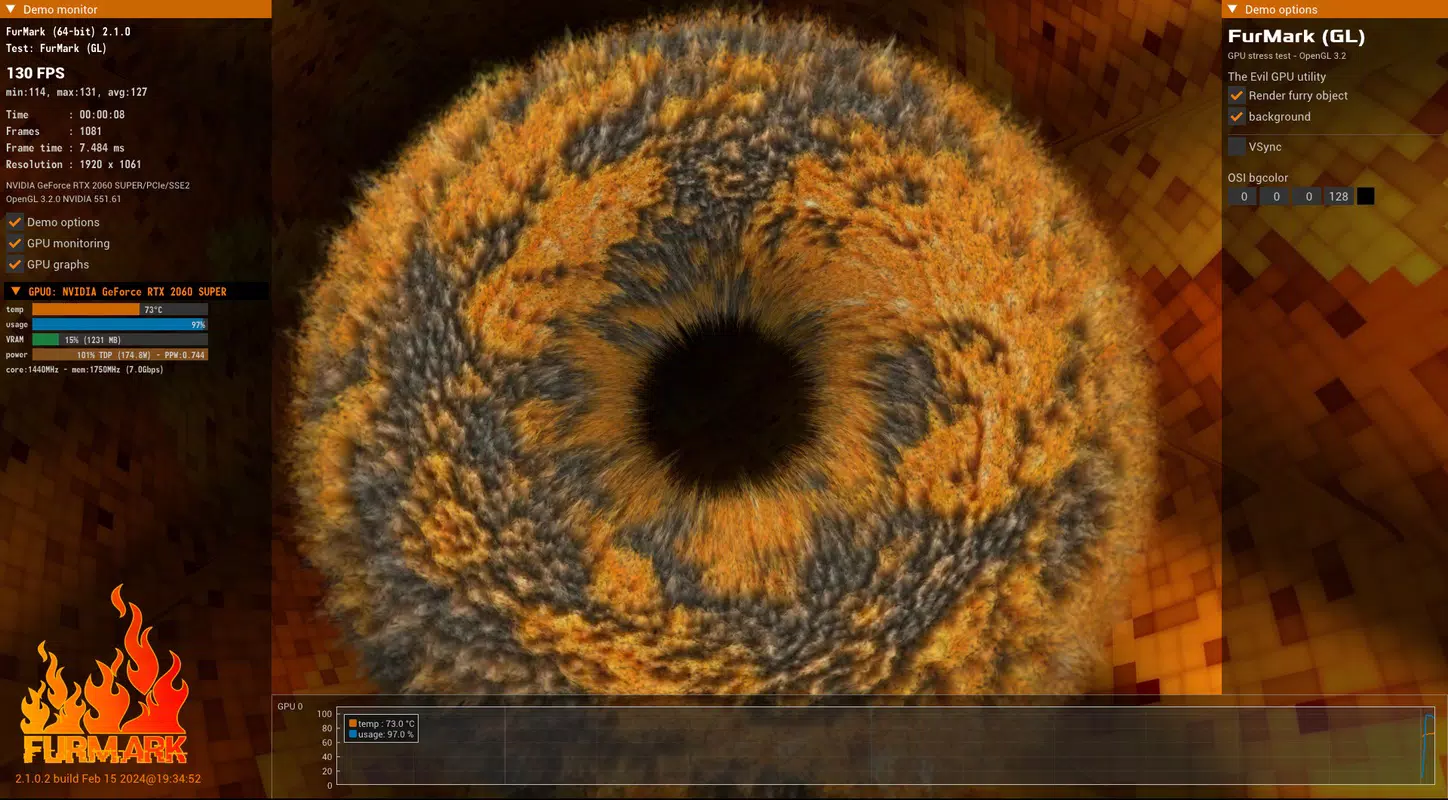
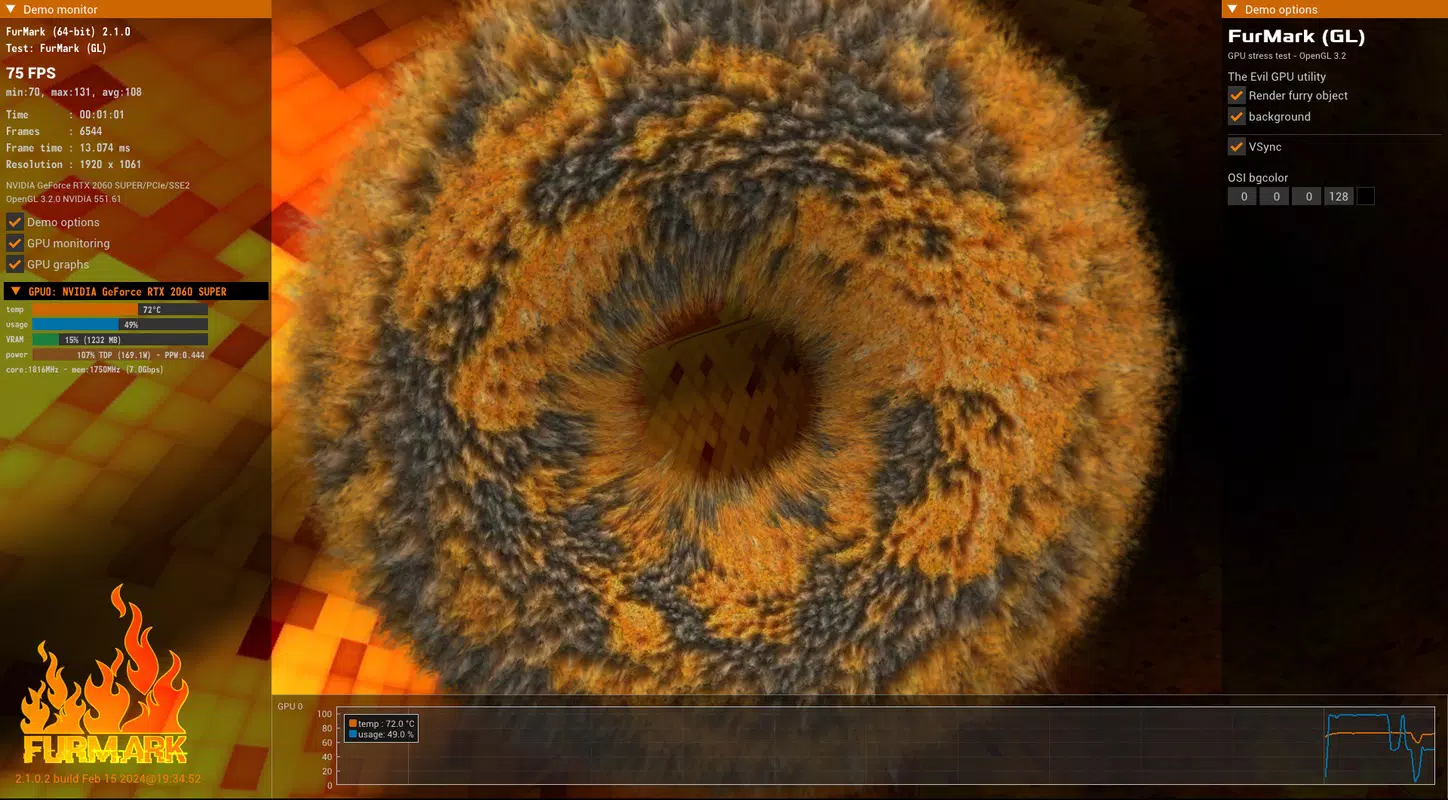
Visual feedback includes real-time temperature, frame rate, and GPU load indicators, displayed in a compact overlay during testing. These metrics are crucial for monitoring system behavior during high-stress operations. The application’s responsiveness is consistent across tested configurations, with minimal lag even during extended test sessions. Although the developer did not list formal performance metrics, the tool maintains stable operation without crashes or memory leaks during typical use.
Performance is optimized for 64-bit Windows systems, with efficient resource management that prevents unnecessary CPU or memory consumption. The app does not interfere with background processes, ensuring accurate test results. While specific device compatibility details were not disclosed, its lightweight design (25.4 MB) suggests broad support across modern desktop and laptop configurations. Users can expect smooth operation on systems equipped with current-generation GPUs and drivers.
Platform Compatibility & Technical Requirements
FurMark 2 is available exclusively for Windows, making it accessible to desktop users on the most widely used PC operating system. The application is designed for 64-bit systems, ensuring compatibility with modern hardware and drivers. The software version is 2.1.1, released on July 15, 2025, and has a file size of 25.4 MB, indicating a lightweight, portable design.
The developer did not specify minimum OS requirements, but given the focus on 64-bit architecture and modern rendering APIs like Vulkan, it is likely compatible with Windows 10 and later versions. No installation is required, which simplifies deployment across multiple systems. While the app is free to download and use, users should ensure they have up-to-date graphics drivers to fully leverage its features. Specific hardware requirements were not listed, though the tool’s design suggests it runs efficiently on systems with current-generation GPUs.
Pros and Cons
Pros
- Zero-installation design enables immediate use without setup or system changes
- Supports multiple rendering APIs (GL and Vulkan) for flexible testing
- High-resolution testing up to 7680x4320 (8K) for realistic performance evaluation
- Public leaderboard allows comparison with other users globally
- Regular updates ensure compatibility with new GPUs and CPUs
Cons
- Platform limited to Windows; no support for macOS or Linux
- Interface is minimalistic, which may lack visual appeal for casual users
- Developer did not provide detailed system requirements or compatibility notes
- Only available as a standalone executable; no official app store distribution
- Testing can generate high heat; requires proper cooling to avoid hardware damage
FAQ
Is FurMark 2 safe to use?
FurMark 2 is safe when used responsibly. The software simulates extreme workloads to test GPU stability and cooling performance. It is recommended to monitor temperatures and ensure adequate cooling before running long tests.
Can I use FurMark 2 on older Windows systems?
While the developer did not specify minimum OS requirements, the app is designed for 64-bit systems and likely requires Windows 10 or later for full functionality.
Does FurMark 2 require internet access?
Internet access is not required to run the software locally. However, submitting results to the public leaderboard requires an active connection.
Is FurMark 2 free to download and use?
Yes, FurMark 2 is available at no cost. There are no in-app purchases or subscription fees.
How often is FurMark 2 updated?
The developer releases regular updates to maintain compatibility with new hardware and improve performance. The latest version, 2.1.1, was released on July 15, 2025.
Final Thoughts
FurMark 2 stands out as a powerful, no-nonsense tool for anyone serious about evaluating GPU performance. Its zero-installation model, high-resolution testing, and global benchmarking capabilities make it a top choice for PC enthusiasts and professionals alike. While it lacks the polish of consumer-facing apps, its focus on precision and reliability is unmatched in its category.
Users who prioritize hardware stability, thermal performance, and accurate benchmarking will find immense value in this utility. Whether you're overclocking, building a new rig, or verifying a GPU’s capabilities, FurMark 2 delivers the data you need without distractions.
Download FurMark 2 now


